

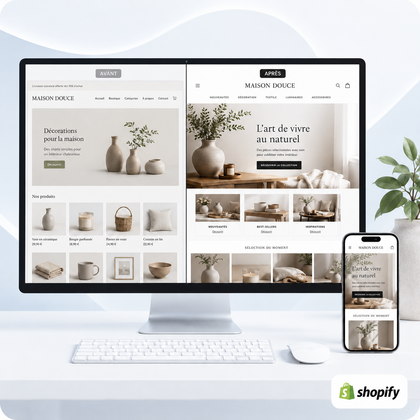




Organization of the Shopify catalog
To avoid empty or overly similar collections, each collection must have a distinct intention, actually contain relevant products and be based on reliable rules.
An empty collection interrupts the customer journey. Two almost identical collections complicate navigation, disperse content and make the catalog difficult to maintain. The correct method is to audit pages, correct assignment rules, merge duplicates, and use filters for criteria that are too thin.

Why an empty or redundant collection is problematic
A collection is a navigation step, not a simple administrative file. When a visitor clicks on "Waterproof Jackets" and cannot find any products, they may think that the store is incomplete or poorly maintained. If he then encounters "Rain Jackets", which displays almost the same references, he no longer understands the difference between the two paths.
Empty collection
It may come from an automatic rule that is too strict, a deleted tag, products that have been drafted or a seasonal collection that remains visible after the end of the offer.
Collections too similar
They often appear when similar titles meet the same intent, the same products are assigned everywhere, or a filter criterion has been transformed into a category.
The risk is not limited to SEO. The client hesitates more, the menus lengthen and the team must maintain several pages instead of a single solid page. To build a consistent architecture from the start, also check out our guide on organizing collections in a Shopify store.
How to identify collections to correct
Start by exporting or listing all visible collections. For each, note its title, URL, menu location, number of products, power mode and nearest collection. The goal is not to quickly delete pages, but to understand their function.
| Signal | Question to ask | Probable action |
|---|---|---|
| 0 product | Should the page be visible now? | Fix the rule or temporarily hide |
| Very few products | Does selection provide real value? | Keep, enrich or link to a parent category |
| Almost identical products | Do the two pages meet different needs? | Clearly differentiate or merge |
| Close name | Can a customer explain the difference in one sentence? | Rename, reposition or remove the duplicate |
Don't just rely on the number of products. A collection of three gift boxes can be perfectly useful if the offer is voluntary and clear. Conversely, two pages of fifty products can be redundant if they show almost the same assortment. The distinction must be understandable in the title, content, menu and products displayed.
Avoid empty collections in Shopify
Test conditions before publication
Automated collections add products under conditions including tags, type, supplier, price, stock, category or certain meta fields. Shopify allows you to request that all conditions be met or that only one is enough. A "all" rule that is too restrictive can therefore empty a collection; a rule that is "any" too broad can therefore fill it with off-topic products.
Check the exact value used. A tag written differently on products, an absent category or an operator "equals" instead of "contains" can change the result. After a massive modification of products, check the collection in the administration and then on the public store.
Keep temporary pages out of menus
A collection intended for a campaign can be prepared without being immediately accessible from navigation. Wait until the products, image, text and links are ready. For a completed operation, remove the page from menus and promotional blocks. If it has acquired lasting utility, replace the expired offer with a relevant selection; otherwise, merge it with the nearest page and set up a suitable redirect.
An empty collection should not become a public cul-de-sac. Correct its source, hide it while it is being prepared, or redirect it to the most logical alternative when it is permanently deleted.
Differentiate or merge related collections
Two collections can share a few products without being duplicates. "Gifts for less than €50" and "Gifts for a birthday" can overlap while responding to two distinct intentions. The problem appears when the title changes, but not the promise or the assortment.
- Define a single promise: type of product, use, recipient, universe or editorial selection.
- Check assortment: the first products should make the difference immediately visible.
- Adapt content: title, introduction, image and internal links should support this intention.
- Decide: if you can't justify both pages simply, keep the best one and merge the other.
If merged, don't delete a useful URL without checking its links and traffic. Redirect the old address to the most equivalent collection, then replace internal links in menus, pages and articles. Avoid a general redirect to the home page: it rarely helps the visitor continue their search.
Should you create a collection or use a filter?
A collection deserves a page when it constitutes a destination: it can be named clearly, linked from the menu or a campaign, presented by useful content and maintained over time. Rather, a filter is used to refine an existing destination based on a characteristic such as size, color, availability or material.
| Need | Best choice | Why |
|---|---|---|
| Main product family | Collection | Stable and accessible destination |
| Editorial or seasonal selection | Collection | Dedicated page for a specific intention |
| Size, color or price | Filter | Refining without multiplying nearby pages |
| Criterion sought and strategic | To arbitrate | Depends on catalog, content and demand |
Shopify Search & Discovery allows you to offer standard and custom filters based on catalog data and theme capabilities. Before creating ten collections per color, ask yourself if a well-structured main collection with a filter would not be clearer. To choose the right power mode, also read our comparison manual or automated collections.
Which SiteQuiVend service should you choose?
Public formulas are for optimizing collections in the existing Shopify model. These include improving titles, adjusting existing descriptions, product organization, URL and basic SEO, harmonization and mobile verification according to the formula. Complex needs remain assessed on estimate.
To use the priority categories of a small catalog.
To audit and harmonize a more complete catalog.
To improve the consistency of a larger catalog.
For several categories and a more advanced organization.
The creation of a new collection template, complete design overhaul, advanced custom filters, complex applications and a complete reorganization of a very large catalog are not included by default. The schedule is confirmed after analysis of the catalog and receipt of the necessary access and content.
Checklist before publishing or maintaining a collection
- The collection responds to a specific intention.
- Its name does not duplicate another page.
- It contains active and relevant products.
- Automatic rules have been tested.
- The tags, types or fields used are consistent.
- The first products clearly show the promise.
- The title and description are specific.
- Image actually matches assortment.
- The page is linked from a useful location.
- Filters replace subcategories that are too thin.
- Temporary collections have a check date.
- Any merger provides for internal links and redirection.
FAQs about empty or similar collections
Should an empty Shopify collection be deleted?
Not automatically. First correct its rules or assignment. If she's preparing a campaign, hide it until she's ready. Only delete it if it no longer has a role, then redirect its URL when relevant.
Why does an automated collection become empty?
Common causes are too strict a condition, a modified tag, an incomplete product field, non-active products, or a poor combination of "all conditions" and "any condition".
At least how many products are needed in a collection?
There is no universal minimum. A small, consistent selection can be useful. Above all, judge the promise, the real availability and the interest in offering a separate page.
Can two collections share the same products?
Yes, if they respond to different intentions. Cross-checking becomes problematic when the assortment, title and promise are almost identical.
Should you create a collection for each color?
Generally no. A color filter on a main collection is often simpler. A dedicated page can be justified if the color corresponds to a strategic request and allows truly distinct content.
What to do with a seasonal collection after the campaign?
Remove it from menus and promotional blocks. Reuse it if it comes back regularly and keeps a value, or merge it with a nearby page with a redirect if its deletion is permanent.
Does SiteQuiVend correct the rules for automatic collections?
Verification and adjustment of existing rules can be part of optimization. A complex restructuring of the catalog, advanced filters or specific development are studied separately on estimate.
Which formula should I choose to remove duplicates?
The formula depends on the number of collections to audit and optimize, not just the number of duplicates. Formula 15 suits the targeted priorities; volumes 30, 50 or 75 respond to larger catalogs.
Make your catalog clearer before it gets cluttered
SiteQuiVend can identify empty collections, redundant categories and inconsistent rules, then offer you a scope adapted to the actual volume of your store.
